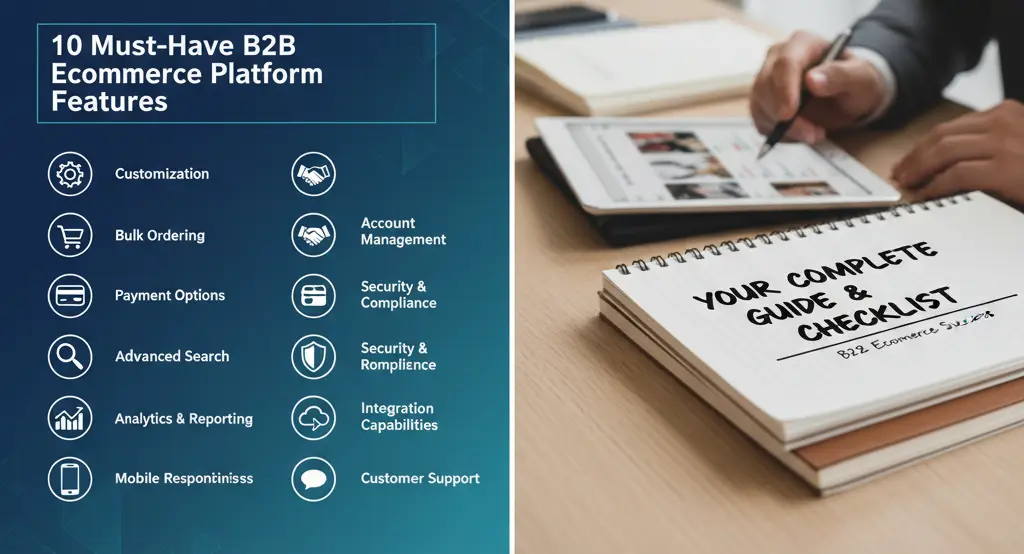
10 Must-Have B2B Ecommerce Platform Features: Your Complete Guide & Checklist
Estimated reading time: 12 minutes
Key Takeaways
B2B ecommerce is fundamentally different from B2C, involving complex buying processes, negotiated pricing, and multiple stakeholders, which demands specialized platform features.
A core set of 10 features—including customer-specific pricing, bulk ordering, and corporate account management—is essential for any effective B2B platform.
ERP integration is the non-negotiable backbone of a B2B operation, ensuring real-time data synchronization for inventory, pricing, and orders.
Choosing a purpose-built wholesale ecommerce platform provides a greater ROI and deeper customization capabilities compared to patching a B2C system.
Beyond features, foundational requirements like scalability, security, and a mobile-friendly user experience are crucial for long-term success and growth.
Table of Contents
- Why B2B Ecommerce is Fundamentally Different from B2C
- The Core Checklist: 10 Must-Have B2B Ecommerce Platform Features
- Feature 1: Customer-Specific Pricing
- Feature 2: Bulk Ordering & Advanced Cart Management
- Feature 3: Corporate Account & User Role Management
- Feature 4: Quote & Request-for-Quote (RFQ) Workflows
- Feature 5: Purchase Order (PO) Management
- Feature 6: Custom Catalogs & Product Visibility
- Feature 7: Payment Terms & Credit Management
- Feature 8: Multi-currency, Tax, & Compliance Engines
- Feature 9: Powerful Integration Capabilities
- Feature 10: Reporting & Analytics
- Beyond the Checklist: Crucial B2B Ecommerce Requirements
- Why You Should Choose a Purpose-Built Wholesale Ecommerce Platform
- ERP Integration Ecommerce: The Backbone of Your B2B Operation
- Real-World Example: How the Right Features Drive Growth
- Conclusion and Your Next Steps
- Frequently Asked Questions (FAQ)
Hey there, colleague. Let’s dive right in. In today’s digital-first world, the right B2B ecommerce platform features aren’t just nice-to-haves—they’re the engine driving your business success. If you’re managing wholesale sales or enterprise deals, you know how tricky it can be to keep everything running smoothly.
B2B purchasing stands apart from consumer shopping. It involves layered steps like negotiated deals, big batch buys, and tying into your company’s backbone systems, such as an ERP. Unlike quick B2C clicks, B2B often means dealing with multiple team members and custom setups. That’s why picking a platform with solid B2B ecommerce platform features matters so much.
This guide is your go-to checklist. We’ll walk through essentials, from customer specific pricing that tailors costs to each buyer, to erp integration ecommerce that keeps data flowing without hitches. By the end, you’ll have a clear path to assess your current setup or pick a new one that fits your B2B ecommerce requirements perfectly.
Our goal? To arm you with actionable insights. Whether you’re upgrading your business-to-business online store or starting fresh, this will help you spot what truly boosts efficiency and sales.
Why B2B Ecommerce is Fundamentally Different from B2C
Picture this: You’re explaining to a new team member why B2B isn’t like selling t-shirts online. It sets the stage for why we need those specialized B2B ecommerce platform features.
First off, contrast the buying processes. In B2C, it’s usually a solo shopper making a fast, one-off purchase. Simple as that.
But B2B? It’s all about building relationships. Deals involve large, recurring orders that keep coming back. Pricing comes from contracts and back-and-forth negotiations, not just a fixed tag. Multiple stakeholders weigh in, from buyers to bosses, with approval workflows to match. And those buying cycles? They stretch out longer than you might think, involving complex hierarchies within the organization.
This complexity shapes everything. B2B buyers expect tools that handle bulk ordering, custom pricing, account management, purchase approvals, and ties to enterprise tools like ERPs or CRMs. Standard B2C setups rarely cut it—they’re not built for this level of depth.
Curious how this plays out? It means your wholesale digital marketplace must adapt to these unique demands, or you’ll lose out on efficiency and trust.
The Core Checklist: 10 Must-Have B2B Ecommerce Platform Features
Alright, let’s get to the heart of it. This is your core checklist for sizing up any B2B ecommerce platform features. Think of it as your shopping list—tick these off, and you’re set for smoother operations in your business-to-business online sales setup.
We’ll break down each one, what it does, and why it’s a game-changer. Use this to evaluate platforms and ensure they align with your wholesale ecommerce needs.
Feature 1: Customer-Specific Pricing
Customer specific pricing is the foundation of B2B deals. It lets you show tailored prices to different buyers or groups, based on what you’ve negotiated. No more one-size-fits-all— this keeps relationships strong and sales personalized.
Key capabilities make it shine. Look for:
Tiered pricing, like Gold, Silver, or Bronze levels that adjust costs automatically.
Contract-based price lists should be unique to each account, pulling from your agreements.
Automated volume discounts kick in for big buys, say 10% off for 100+ units.
And don’t forget personalized lists for specific customer segments, ensuring everyone sees what they’re entitled to.
This feature turns your platform into a smart pricing engine, boosting loyalty and reducing manual tweaks. Imagine a client logging in and seeing their exact deal prices—it’s like having a personal shopper for wholesale.
Synonyms like individualized pricing or account-based rates fit here, enhancing how your enterprise commerce system handles deals.
Feature 2: Bulk Ordering & Advanced Cart Management
Bulk ordering tools let buyers grab hundreds of items fast, without clicking through pages. It’s essential for B2B, where orders are massive and time is money.
What to expect? Quick order forms where users punch in SKUs and quantities directly. Upload options via CSV or spreadsheets make importing lists a breeze. Saved templates allow repeating common orders with ease, and one-click reordering handles those frequent buys without fuss.
This streamlines the cart process, cutting down on errors and frustration. Picture a warehouse manager uploading a full inventory restock in minutes— that’s the efficiency we’re talking about in your digital wholesale setup.
Related terms like mass purchasing or high-volume cart handling add context, tying into supply chain automation.
Feature 3: Corporate Account & User Role Management
This feature sets up a main account for a company, with sub-users having defined roles. It’s key for handling team-based buying in B2B.
Capabilities include corporate hierarchies, like a head office linking to branch accounts. Granular permissions mean juniors can build carts, but managers approve them. Departmental workflows mirror the buyer’s internal setup, ensuring smooth approvals.
It keeps things organized and secure, preventing unauthorized buys. Ever wonder how big firms manage orders across teams? This is how, making your platform feel like an extension of their business.
Think of it as role-based access control in your enterprise sales portal, with LSI terms like organizational hierarchy management.
Feature 4: Quote & Request-for-Quote (RFQ) Workflows
Quote workflows digitize the haggling process. Buyers submit carts as requests, and your team responds with custom offers—all online.
The platform should let users request quotes, negotiate terms, and turn them into orders seamlessly. It tracks everything, reducing email chains and delays.
This turns negotiations into a streamlined dance, speeding up deals. It’s curious how something so traditional can go fully digital, right? Perfect for complex B2B sales cycles.
Synonyms: RFQ processing or quotation management.
Feature 5: Purchase Order (PO) Management
POs are a B2B staple—buyers promise payment later via a document. Your platform needs to capture and track them effortlessly.
Key bits: A checkout field for PO numbers, plus full order history for easy tracking. Buyers can view statuses against their POs anytime.
This builds trust, as it aligns with how businesses pay. No more lost paperwork; it’s all in one spot, enhancing your order fulfillment process.
Related: PO tracking systems or procurement order handling.
Feature 6: Custom Catalogs & Product Visibility
Control what products buyers see with custom catalogs. It’s about showing the right items to the right people.
Capabilities: Segmented catalogs for regions or tiers, and product permissions to hide or restrict SKUs.
This personalizes the shopping experience, like curating a private store. Useful for exclusive deals or compliance needs in global trade.
LSI: Tailored product assortments or visibility controls.
Feature 7: Payment Terms & Credit Management
Let trusted buyers purchase on credit with terms like net 30. It’s standard in B2B for building long-term ties.
Look for flexible terms, credit limit settings per account, and built-in invoicing.
This manages cash flow while keeping sales rolling. It’s like extending a handshake digitally, fostering repeat business.
Synonyms: Deferred payment options or account credit handling.
Feature 8: Multi-currency, Tax, & Compliance Engines
Handle global sales with tools for currencies, taxes, and rules. It’s vital for cross-border B2B.
Capabilities: Real-time tax calcs by location, multi-currency support with conversions, and compliance with regs like GDPR.
This avoids headaches in international deals, making your platform a true global player.
Related: Currency conversion tools or regulatory compliance features.
Feature 9: Powerful Integration Capabilities
Integrations link your platform to ERPs, CRMs, and more. It’s about seamless data flow.
Opt for API-first designs, webhooks, and ready connectors for real-time syncs.
This eliminates silos, ensuring inventory and pricing stay accurate. Essential for operational harmony.
LSI: System connectivity or data synchronization.
Feature 10: Reporting & Analytics
Get insights with dashboards tracking sales and behavior. It’s how you spot trends and improve.
Include real-time views, reports on top items and customers, behavior analytics like cart drops, and forecasting.
This data drives smarter decisions, turning your platform into a growth tool.
Synonyms: Performance metrics or business intelligence dashboards.
Beyond the Checklist: Crucial B2B Ecommerce Requirements
Features are great, but B2B ecommerce requirements go deeper. These are the foundations for lasting success in your business-to-business digital marketplace.
Scalability and performance mean handling huge catalogs and traffic spikes without crashes. Your platform must grow as you do, supporting thousands of products and busy seasons.
Security and compliance? Non-negotiable. Protect data with encryption, PCI DSS for payments, and readiness for GDPR or CCPA. It safeguards trust in an era of breaches.
Mobile-friendly design ensures buyers on the move—like field reps—get a smooth experience. Responsive layouts keep orders flowing from any device.
Superior UX focuses on efficiency: fast searches, easy navigation, and paths tailored to B2B needs. It’s not just pretty; it’s productive.
Why You Should Choose a Purpose-Built Wholesale Ecommerce Platform
Let’s talk wholesale ecommerce platform. It’s a system crafted for B2B sales, unlike B2C ones patched with extras. These handle core needs like contract pricing and deep integrations natively.
Benefits? Deeper customization for your workflows, support for lengthy buying cycles, and better ROI through automation. It’s like upgrading from a bike to a car for heavy lifting.
“A caution: Not all ‘B2B’ labels deliver. Check if they nail every checklist item—some fall short on enterprise scale.”
ERP Integration Ecommerce: The Backbone of Your B2B Operation
ERP integration ecommerce is the top tech must-have. Your ERP holds the truth on inventory, prices, and more—without linking it, you’re inviting chaos like manual errors or unhappy customers.
Real-time sync is key. It stops overselling stock, shows accurate prices, and updates order statuses instantly. No more outdated info; everything aligns smoothly.
Approaches vary. Native connectors work for popular ERPs like SAP—quick setup but rigid. Middleware bridges gaps flexibly. Custom APIs give full control for big ops.
Best practices: Map data carefully, deciding masters for each element, and build error fixes. Test in sandboxes, roll out phased with training to avoid bumps.
Real-World Example: How the Right Features Drive Growth
Take Industry West, a furniture wholesaler. They switched to a dedicated B2B platform with self-service and bulk ordering tools.
Results? Bigger average orders and quotes processed way faster, freeing sales teams for growth.
This isn’t rare. Brands embracing these see efficient orders, better workflows, and happier customers—proof that the right setup pays off.
Conclusion and Your Next Steps
Wrapping up, modern B2B thrives on specialized platforms with key B2B ecommerce platform features. This checklist helps you evaluate and pick what fits your B2B ecommerce requirements.
Ready to start your evaluation? Download our free, printable B2B Ecommerce Platform Features and Requirements Checklist to take with you into your next vendor meeting.
Want to see these features in action? Request a personalized demo today to see how a leading platform can transform your B2B operations.
Use this guide to review your tech, plan changes, and chat with experts for the best match. It’s your step toward smoother, more profitable sales.
Frequently Asked Questions (FAQ)
1. What is the main difference between B2B and B2C ecommerce?
The main difference lies in the customer and the buying process. B2C involves individual consumers making quick, one-off purchases. B2B involves businesses making large, recurring, and complex purchases that often require negotiated pricing, multiple decision-makers, and specific payment terms like purchase orders.
2. Why is customer-specific pricing so important for B2B?
It’s crucial because B2B relationships are built on negotiated contracts and volume. A B2B platform must be able to display unique pricing, discounts, and catalogs for different customer accounts automatically. This personalization strengthens relationships and eliminates manual work for sales reps.
3. What role does ERP integration play in a B2B platform?
ERP integration is the operational backbone. It connects the ecommerce platform to your core business system, creating a single source of truth. This real-time sync ensures that product data, inventory levels, customer information, and order details are always accurate across the entire organization, preventing stockouts and pricing errors.
4. Should I choose a purpose-built B2B platform or adapt a B2C one?
For any serious B2B operation, a purpose-built wholesale platform is the superior choice. While B2C platforms can be modified with apps or plugins, they often lack the native, deep functionality required for complex B2B workflows like quote management, user hierarchies, and advanced integrations. A dedicated B2B platform offers better scalability, reliability, and a higher return on investment.
5. What are the top 3 most critical B2B ecommerce features?
While all 10 features on the checklist are important, the top three are arguably: 1) Customer-Specific Pricing to handle custom deals, 2) Bulk Ordering & Cart Management to facilitate large-volume purchases efficiently, and 3) Powerful Integration Capabilities, especially with an ERP, to automate operations and maintain data accuracy.